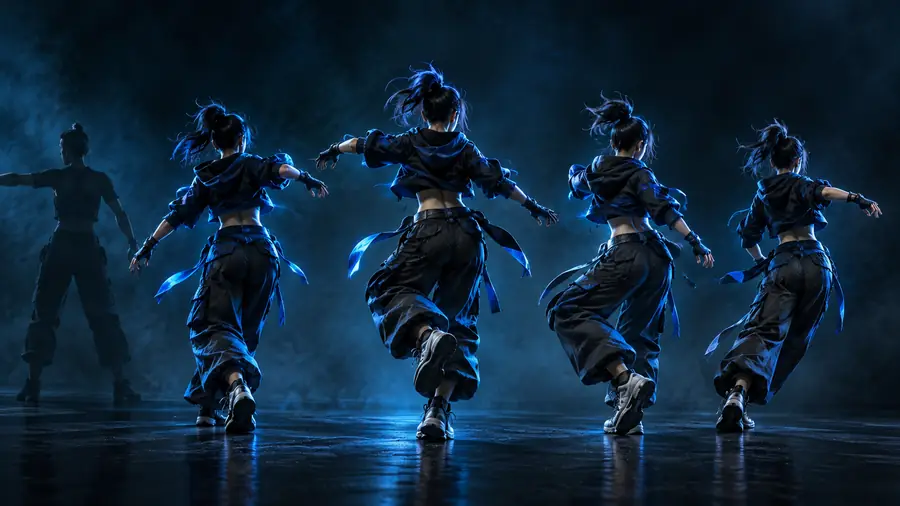
Motion Control

Focused video workflow

A practical guide to kling motion control

Kling motion control is a focused way to think about transferring visible movement into a generated video. Use this guide to judge the fit, prepare a clean reference, and start with a clear creative goal.

Review the result before publishing
Kling motion control workflow preview

Know the boundaries

What this Kling route cannot do

A focused motion workflow is useful when the reference movement is clear, but it is not a replacement for full directing, editing, or physical camera control.

It cannot guarantee a perfect identity match

A motion reference can guide posture and timing, but facial details, clothing, and small anatomy changes may vary between outputs.

Workaround

Use a simple subject image with a clear silhouette, then review several variations before choosing one.

It cannot repair an unclear reference

Crowded footage, blocked limbs, rapid cuts, and poor contrast make the intended movement harder to interpret.

Workaround

Begin with one visible subject, steady framing, and a short reference action with distinct body positions.

It cannot replace a complete edit

The route is about generating a motion-led clip, not assembling a finished sequence with music, captions, continuity, and final color work.

Workaround

Treat the generated clip as a shot or draft, then finish pacing and polish in your usual editor.

It cannot make every action look physically correct

Fast contacts, complex object handling, feet crossing, and unusual camera movement can produce awkward transitions or drifting details.

Workaround

Start with broad, readable actions and shorten the prompt when the movement becomes inconsistent.

Start with intent

How to start with Kling motion control

The strongest first attempt is usually simple: one subject, one readable action, and one visual outcome you can evaluate.

  1. 1

    Choose a clear subject image

    Use a frame where the subject is visible from the angle needed for the action. Avoid heavy occlusion and distracting background detail.

  2. 2

    Define one reference movement

    Describe the action in plain language, such as turning, stepping, gesturing, or dancing. Keep the first test focused on timing and pose.

  3. 3

    Review and refine the shot

    Check hands, feet, facial stability, subject boundaries, and the relationship between the action and the scene. Change one variable at a time.

Related routes

Continue exploring motion tools

These adjacent pages cover version-specific questions and another named motion workflow, so you can compare the next step without losing the main thread.

At a glance

Kling motion control versus general motion control

The distinction is mainly about scope: one entry point is associated with a named Kling workflow, while the general route keeps the discussion broader and tool-agnostic.

Kling motion control
General motion control

Primary focus

Kling motion control

A Kling-centered motion generation workflow

General motion control

Motion transfer as a broader video concept

Best starting point

Kling motion control

A clear subject image and a defined movement

General motion control

A goal that may involve image, video, camera, or pose inputs

Planning style

Kling motion control

Think in terms of one action and one generated shot

General motion control

Choose the input and output method around the project

Reference clarity

Kling motion control

Readable subject boundaries and visible movement matter greatly

General motion control

Requirements vary by the selected tool or method

Creative scope

Kling motion control

Well suited to focused motion-led experiments

General motion control

Better for comparing several motion approaches

Troubleshooting

Kling motion control

Inspect pose, timing, anatomy, and subject consistency

General motion control

First identify whether the issue is input, motion, camera, or output

Useful next step

Kling motion control

Run a short test before building a longer sequence

General motion control

Match the workflow to the intended production stage

Who it suits

Good starting points for different creators

The route is most useful when the desired result can be judged as a single motion-led shot rather than as a finished production.

Character designers

You have a still character and want to test a readable gesture, turn, or full-body pose.

A short motion study can reveal whether the design remains coherent while moving.

kling 2.6 motion control

Social video creators

You need a quick visual beat built around a dance, reaction, walk, or expressive gesture.

A focused action gives you a concrete draft to evaluate before editing it into a post.

kling 3.0 motion control free

Concept artists

You want to explore how a still visual behaves when given a specific human or creature movement.

The test helps separate a strong concept from a motion problem before more work is invested.

motion control higgsfield

Previsualization teams

You are checking a movement idea before planning a larger sequence or live-action reference shoot.

A compact generated shot can support discussion about timing, pose, and visual direction.

motion control higgsfield

Make a focused test

Turn one clear movement into a useful draft

Start with a visible subject, a short action, and a specific reason for making the clip. A focused test makes it easier to spot whether the motion, subject, and scene are working together.

Try Kling motion control
  • Use one readable action first
  • Review the result before expanding the scene
  • Refine the input instead of changing everything at once

Kling questions

Kling motion control FAQ

The short answers below address the main quality question behind this search and the practical checks that help you decide whether the workflow fits.

It can be a useful fit for motion-led video experiments when you have a clear subject and a readable reference action. Its value depends on the quality of the input and how much variation you can accept in anatomy, identity, and timing.

It is best approached as a way to explore or generate a focused shot built around visible movement. Character gestures, short dance actions, turns, and pose-driven concepts are easier to evaluate than a complex multi-shot sequence.

Prepare a subject image with clear boundaries and choose one movement you can describe simply. A steady reference with visible limbs and limited background clutter gives the workflow a clearer starting point.

Ambiguous references, fast actions, occluded limbs, and complicated interactions can make movement difficult to reproduce consistently. Shortening the action, simplifying the scene, and changing one input detail at a time can make the next test easier to judge.

Start creating
Start creating