Character animators
A performer supplies a walk, turn, dance, or gesture that needs to appear on a designed character.
The animator gets a movement reference with recognizable timing and body language.
ai motion mimic freeVideo movement basics
If you have searched what is motion control, the short answer is simple: it transfers movement from a reference performance into a digital character, object, or scene. The result is directed animation with more natural timing and intention than manual keyframing alone.
Motion control is a way to guide generated or animated video with deliberate movement. Instead of describing every frame, you provide a motion source, a subject, or both, and the system interprets the relationship.
Different creators use the same core idea for different production goals: preserve a performance, explore a visual concept, or make movement easier to direct.
A performer supplies a walk, turn, dance, or gesture that needs to appear on a designed character.
The animator gets a movement reference with recognizable timing and body language.
ai motion mimic freeA creator wants a still subject or generated character to perform a specific action in a short clip.
A planned movement gives the shot more continuity than a purely text-driven instruction.
motion control video freeA team prototypes how a character may move before committing to a full animation pipeline.
Movement ideas can be tested quickly against a character design or gameplay concept.
motion control in gamesA director wants to preserve the rhythm of a reference performance while changing the subject or visual style.
The team can explore alternate looks without losing the underlying performance intent.
ai motion sync freeThe workflow is easiest to understand as a transfer from reference movement to generated or animated output. Quality depends on both the source performance and the clarity of the subject.
Start with a video, performance, pose sequence, or other motion source that clearly shows the action you want to preserve. Stable framing and visible body motion usually make interpretation easier.
Pair the movement with a character, image, or scene and make the desired action clear. The system must distinguish the performer’s movement from the subject’s appearance.
Inspect timing, body proportions, contact points, and scene consistency. Adjust the reference or subject when the result loses the original action or introduces unwanted motion.
Motion control does not replace every animation method. It occupies a middle ground between manually specifying motion and asking a system to invent it from a description.
Primary input
Reference-led motion control
A visible movement reference plus a subject
Text-led generation
A written description of the desired scene
Movement source
Reference-led motion control
The timing and gestures come from the reference
Text-led generation
The system invents timing from the prompt and context
Performance preservation
Reference-led motion control
Designed to retain recognizable action
Text-led generation
May create a new interpretation of the action
Directability
Reference-led motion control
Useful when a specific gesture or sequence matters
Text-led generation
Useful when the goal is open-ended exploration
Consistency across takes
Reference-led motion control
A shared reference can anchor related shots
Text-led generation
Results may vary as prompts or scene details change
Best starting point
Reference-led motion control
A clear subject and readable movement source
Text-led generation
A precise description of subject, setting, style, and action
A useful definition includes the boundaries. Motion control can guide movement, but it cannot guarantee perfect physical accuracy, identity preservation, or cinematic continuity in every generated clip.
If the performer is hidden, cropped, blurred, or moving too quickly, the intended action may be difficult to interpret.
Workaround
Use a readable reference with enough space, contrast, and stable framing to show the important motion.
Hands, feet, joints, and object contact can still drift even when the overall action looks convincing.
Workaround
Review difficult poses closely and simplify the movement or refine the source when anatomy matters.
A human performance may not transfer naturally to a creature, object, stylized figure, or unusual camera angle.
Workaround
Choose a compatible subject and expect to iterate on scale, pose, and movement intensity.
A technically coherent clip may still have the wrong pace, framing, emotion, or story purpose.
Workaround
Treat the generated result as a shot to evaluate, select, and edit rather than an automatic final cut.
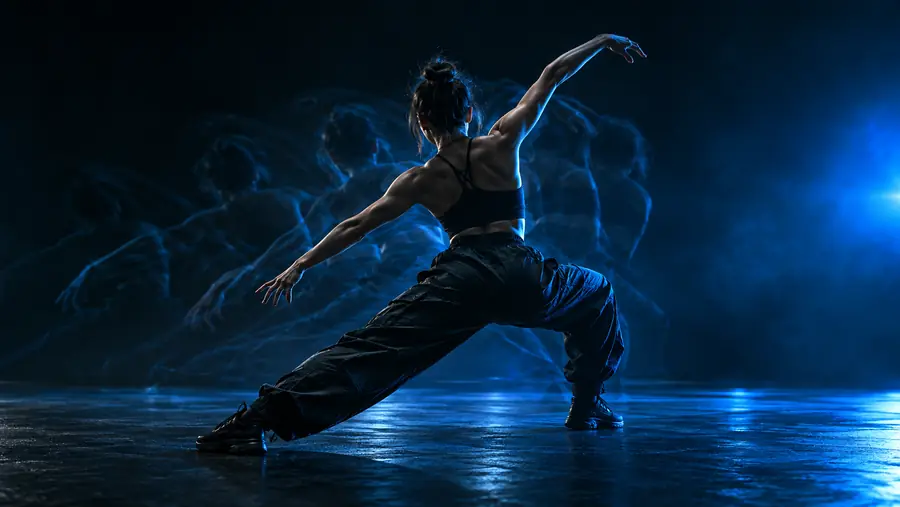 Reference movement
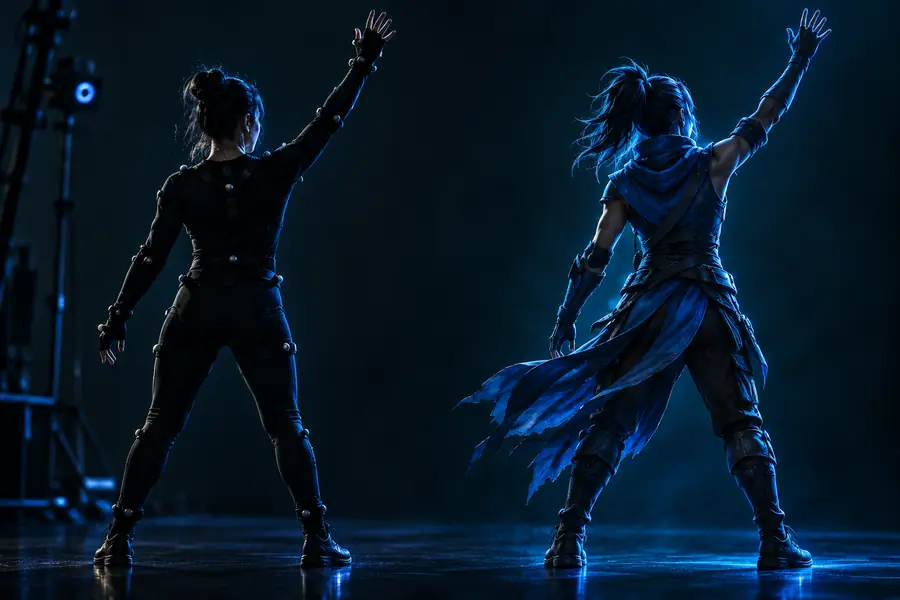 Controlled output
Now that you know what is motion control, the next step is to test a clear reference and a well-defined subject. Use Motion Control to explore movement-led video concepts while keeping the creative decision in your hands.
Try motion controlThese concise answers address the core meaning behind the query and clarify where the technique fits in a video workflow.
Motion control means guiding the movement of a digital subject, character, or scene with a deliberate reference or control signal. In video creation, it helps preserve actions, timing, and gestures while the appearance or environment changes.
No. Motion control is one way to create or direct animation, but animation can also be made with keyframes, procedural systems, simulation, or text instructions. Motion control is especially useful when a real or reference performance should influence the result.
It can support character movement, gesture transfer, dance and action tests, visual effects planning, game prototypes, and short generated video scenes. The strongest use cases are those where a specific movement matters more than open-ended invention.
It needs a readable movement source and a subject that can reasonably express that movement. Clear framing, visible gestures, and a well-defined creative goal make the process easier to evaluate and refine.
No. It can preserve the broad timing and intent of a reference, but generated output may change anatomy, contact points, facial details, camera behavior, or scene continuity. Review and iteration remain part of the workflow.