It cannot fix a weak reference
Blur, heavy occlusion, cropped limbs, and inconsistent lighting can make the source movement difficult to interpret.
Workaround
Use a short, stable clip with the main subject visible from start to finish.
Video motion tools
Motion control free can help you test movement transfer before committing to a larger production workflow. Start with a clear reference and a subject you want to animate.
Related paths
Use the route that matches your goal: understand the concept, test an AI workflow, or reduce account friction before you begin.
Honest boundaries
A free workflow is useful for testing an idea, but it is not a promise of unlimited production, perfect tracking, or a finished edit.
Blur, heavy occlusion, cropped limbs, and inconsistent lighting can make the source movement difficult to interpret.
Workaround
Use a short, stable clip with the main subject visible from start to finish.
The transferred result may change facial details, clothing edges, proportions, or fine hand motion.
Workaround
Choose a visually simple subject and inspect the result frame by frame before sharing it.
Motion transfer addresses movement; it does not automatically create a finished story, soundtrack, color grade, or final cut.
Workaround
Plan a separate edit pass for timing, sound, captions, and continuity.
Availability, queueing, output limits, and required access steps can depend on the destination product and current service rules.
Workaround
Treat the first run as a test and confirm the current terms at the handoff.
Simple workflow
The quality of the result depends less on a complicated prompt than on choosing compatible source material and checking the output carefully.
Pick a clip with one readable action, such as walking, turning, reaching, or dancing. Keep the subject visible and avoid rapid cuts.
Describe or provide the character, person, or visual subject that should perform the movement. State the style only after the action is clear.
Check body alignment, hands, face, contact with the ground, and motion continuity. If the transfer breaks, simplify the reference before trying again.
Workflow signals
These are practical quantities in a basic motion-transfer test, not promises about a specific provider’s limits.
Quick comparison
The distinction is mainly about purpose: one helps validate an idea, while the other needs repeatability, control, and a reliable finishing process.
Primary goal
Free test
Explore whether a motion idea transfers
Production workflow
Deliver repeatable shots for a defined project
Reference choice
Free test
One clear clip is usually enough to begin
Production workflow
References are selected and tested for continuity
Iteration
Free test
Useful for quick concept checks
Production workflow
Built around planned revisions and shot matching
Output review
Free test
Manual inspection catches obvious breaks
Production workflow
Structured review checks detail across a sequence
Editing needs
Free test
Separate editing is still required
Production workflow
Editing, sound, and finishing are planned from the start
Best use
Free test
Learning, prototyping, and visual experiments
Production workflow
Client work, campaigns, and longer-form continuity
Visual checkpoint
A useful review asks whether the intended action survives the transfer without introducing distracting changes to the subject or scene.
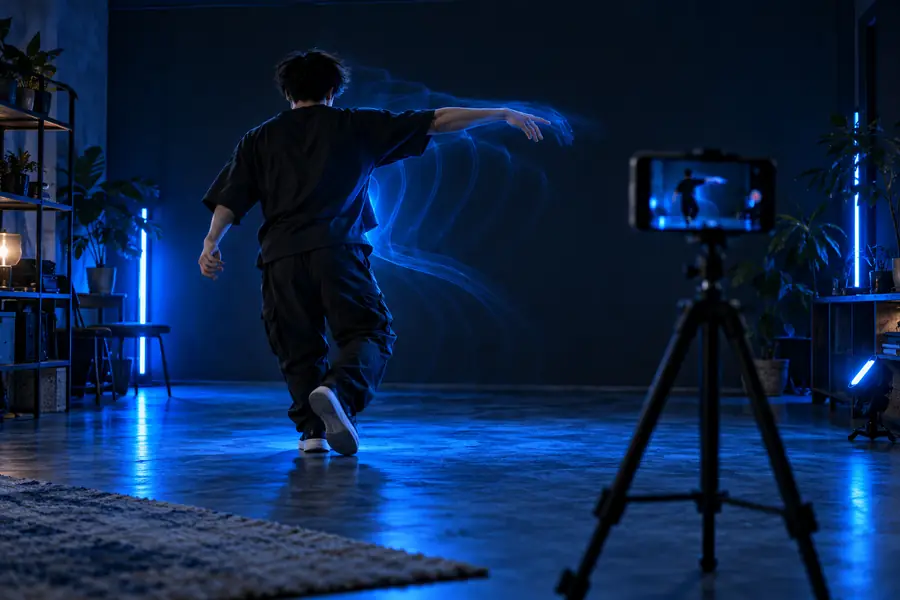 Reference motion
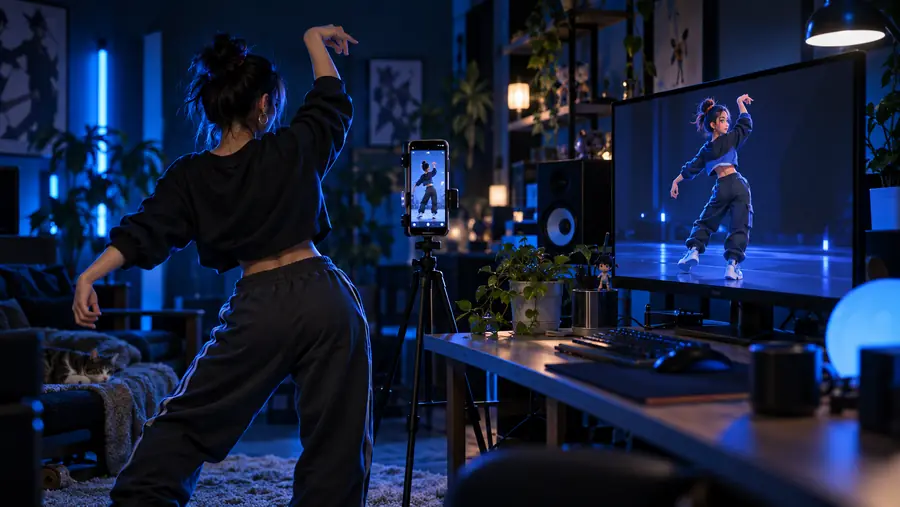 Transferred result
Who it helps
The same motion-control test can serve different creative goals, from learning the basics to proving a shot before production.
You want to understand whether a familiar action can move onto a new subject.
A small test gives you a concrete result to evaluate without designing a whole sequence first.
motion control ai freeYou have one strong movement idea for a social clip but need a quick visual direction.
A focused reference can help you compare styles before building the final edit.
motion control video freeYou want to preview how a character behaves during a walk, turn, gesture, or dance.
The test highlights pose, silhouette, and contact problems early in the design process.
what is motion controlYou are evaluating the workflow and want to understand the login or handoff requirements first.
The access details become part of your decision instead of an unexpected interruption halfway through.
free motion control ai video generator without loginStart with one shot
Bring a readable reference, name the subject you want to animate, and use the first result as evidence. A focused experiment makes it easier to judge whether this workflow belongs in your wider video process.
Test a motion ideaCommon question
These answers focus on the practical question behind the search: whether motion control can be tested without adding unnecessary friction.
There may be ways to test motion-control workflows without an upfront purchase, but access conditions can vary by product and time. Check the handoff details and treat the first run as a limited experiment rather than assuming unlimited use.
It usually means exploring a motion-transfer workflow without committing to a paid production plan at the start. The exact experience may still include access requirements, usage limits, queues, or separate editing work.
You can use the result as part of a finished project only after checking its quality, continuity, and the destination product’s current terms. Free testing is best treated as a way to validate the shot before relying on it for a final deliverable.
Prepare one readable movement reference and a clear target subject. Avoid clips with heavy occlusion, rapid cuts, or unclear framing, because those conditions make it harder to judge whether the transfer itself worked.
The system is interpreting movement and reconstructing it on another subject, so body proportions, hands, facial details, clothing, and scene consistency can change. Reviewing the complete sequence rather than one appealing frame helps reveal those differences.