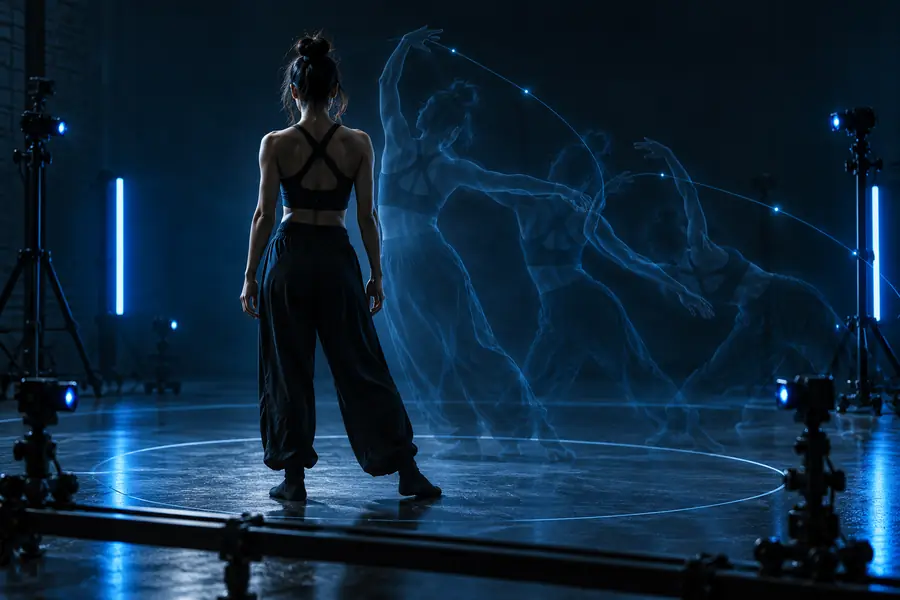
Motion Control

Workflow examples

Best motion control examples for production

The best motion control examples make a familiar pipeline easier to plan: choose a reference movement, apply it to a subject, then refine the result for the final edit. Use these examples to see where the method belongs before you try it.

You review the result before export
Motion control examples shown in a video production workspace

the audience's existing pipeline

Motion control works best as a focused step inside a pipeline you already understand, not as a replacement for planning, editing, or review.

  1. 1

    Prepare the reference

    Choose a movement source with a clear subject, readable gestures, and a useful duration. Remove distracting cuts where possible, then decide which action matters most in the finished shot.

  2. 2

    Transfer and direct

    Pair the movement reference with the visual subject, describe the intended style, and preserve the framing or composition that supports the scene. Treat the first result as a direction pass.

  3. 3

    Review for the edit

    Check timing, contact points, identity, and continuity. Keep the strongest take, trim it into the surrounding sequence, and use additional passes only where the story needs more control.

where we slot in

The table below separates the work that happens before motion control from the work that remains part of ordinary post-production.

Before motion control
After motion control

Primary input

Before motion control

A movement reference with a readable action

After motion control

A generated or transformed video take

Creative decision

Before motion control

Choose the performance, gesture, and visual subject

After motion control

Choose the strongest take for the sequence

Framing

Before motion control

Set the composition and camera intent

After motion control

Check continuity against neighboring shots

Timing

Before motion control

Identify the action beat that must survive

After motion control

Trim, retime, or place the take in the edit

Quality review

Before motion control

Remove confusing cuts and unclear movement

After motion control

Inspect hands, feet, face, identity, and scene consistency

Final handoff

Before motion control

Provide the reference and subject direction

After motion control

Deliver a usable clip for review, compositing, or editing

Examples by production role

Different teams use motion control for different reasons. These scenarios show the handoff from a familiar task to a more directed visual result.

Creative director

A campaign needs several characters to share one confident walking performance while each keeps a distinct costume and setting.

The reference performance becomes a repeatable creative direction, making early concept reviews easier to compare.

ai motion mimic free

Social video creator

A short-form creator has a strong dance reference but wants to test it on a stylized or illustrated subject.

The movement idea can be explored before the creator spends time on a full shoot, edit, or character setup.

motion control video free

Editor or previsualization artist

A sequence needs a quick blocking pass to test whether a gesture lands at the right moment in the cut.

A motion-led draft gives the edit a concrete timing reference instead of relying only on static boards.

video to video ai

Product and brand team

A still product image needs a short visual test with a controlled human gesture or camera-aware presentation.

The team can evaluate the idea as moving footage and decide whether it deserves a more complete production pass.

image to video ai

before/after

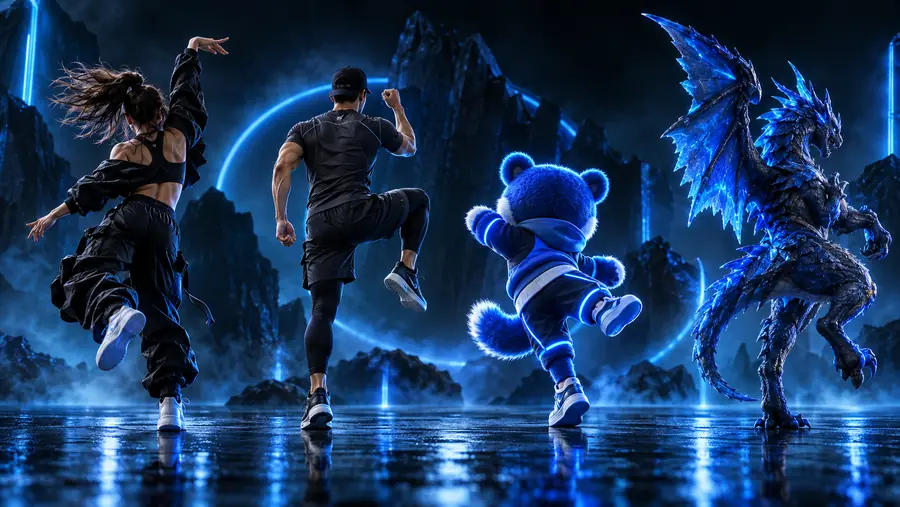
The difference is not simply a new subject. A useful motion control pass preserves the action that matters while changing the visual context around it.

Movement reference prepared for a motion control workflow Reference movement
Directed video result using the movement reference Directed result
Compare the action first, then judge style, identity, and continuity.

deliverable spec

Turn a movement idea into a reviewable clip

A strong handoff explains what the reference is meant to control and what the final clip must prove. Keep the brief specific enough for review, but open enough for visual exploration.

Bring a clear reference, a defined subject, and one priority action into the workflow. Then judge the output against the edit: does the gesture read, does the subject remain coherent, and does the shot support the intended story? Motion control examples are most useful when they answer a production question, not when they exist only as visual experiments.

Create a motion study
  • Name the movement that must survive
  • State what should remain visually consistent
  • Review the result in the context of the final shot

scenario FAQ

These answers address the practical questions behind motion control examples and the evidence people commonly seek when collecting references.

The most useful examples show a clear movement reference being applied to a different subject, style, or scene. Strong cases include dance transfer, character blocking, gesture tests, product presentation, and previsualization because each has an observable production goal.

A PDF can be useful for collecting annotated frames, shot notes, and before-and-after comparisons, but the format alone does not prove that a workflow is effective. Look for examples that identify the reference input, the intended output, and the review criteria used to judge the result.

Start with the problem you need to solve: matching a performance, testing a gesture, blocking a scene, or exploring a new subject. Choose a reference with readable movement and define one success condition before adding extra style or complexity.

No. They demonstrate how a movement-led generation or transformation step can fit inside a wider pipeline. Editors still need to select takes, trim timing, check continuity, and prepare the result for the intended delivery context.

Compare the action first: timing, direction, pose changes, and the clarity of the main gesture. Then inspect subject identity, contact points, framing, and continuity so the example is judged as production material rather than only as a striking image.

Start creating
Start creating